A tumor board, from preparation to the signed report

Four stages, one case: what the presenting physician, the coordinator and the tumor board members see, step by step.

  1. DraftThe presenting physician fills in the case.
  2. To validateThe coordinator checks completeness.
  3. ReadyThe case can be added to the agenda.
  4. On the agendaThe case is on a meeting’s agenda.
  5. DecidedThe draft report is generated.
  6. ClosedThe report is signed and distributed; follow-up of the decision begins.

Prepare: a patient, a case

The presenting physician creates the patient, then their tumor board case. The form is the specialty pack’s; what is missing is flagged before the meeting, not during it.
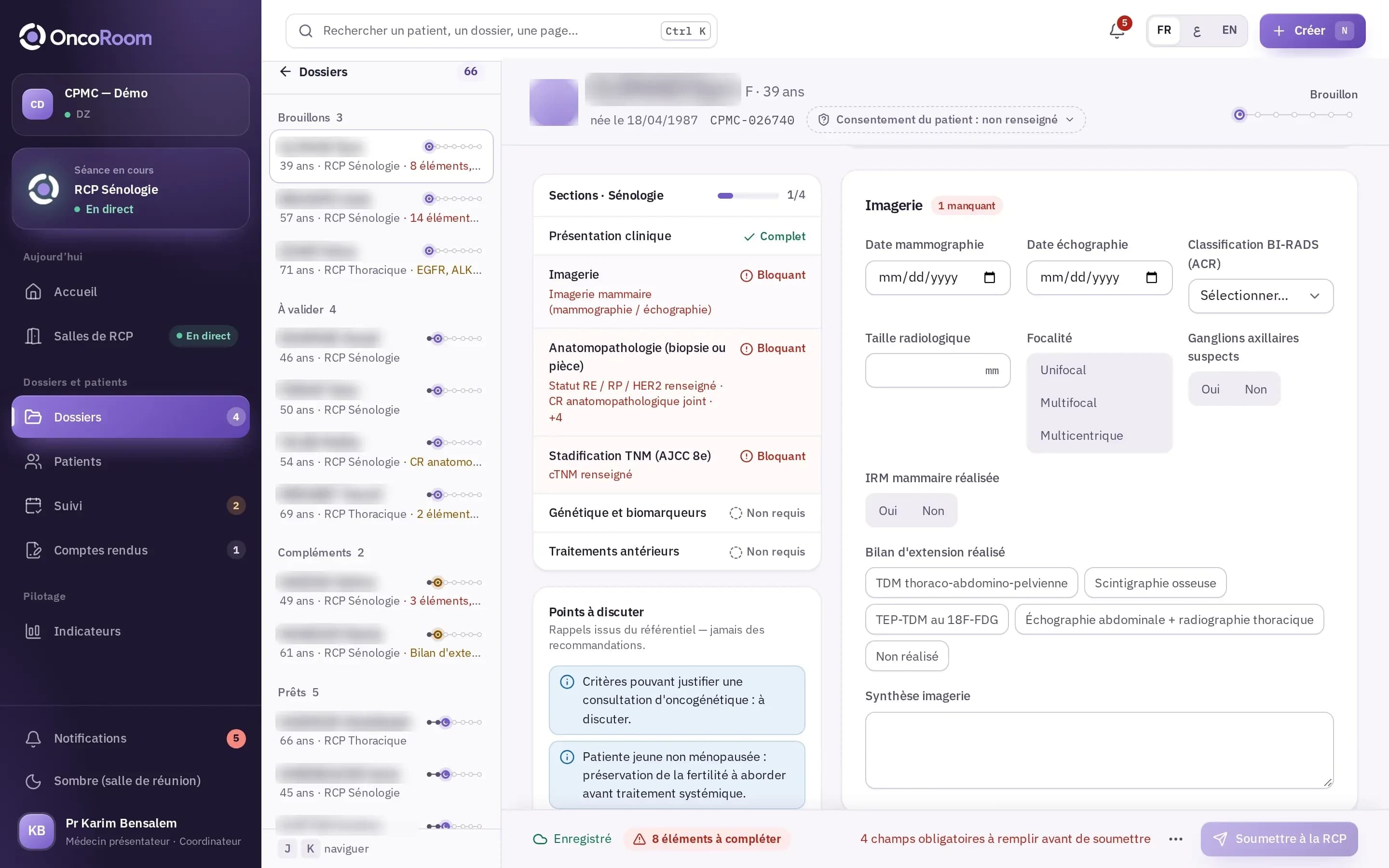
Senology case in draft: sections, blocking items, specialty pack reminders, “Submit to the tumor board” button.
  • The specialty formSections and fields come from the specialty pack. The reason for presentation determines the sections shown and the items required.
  • Automatic savingThe draft saves automatically. Submitting and validating remain explicit actions.
  • What is missing, and whereBlocking items are listed; one click leads to the field. The coordinator can request additional information from the presenting physician.
  • Duplicates flaggedWhen a patient is created, OncoRoom flags similar patient records before a new one is created.
Convene: the agenda, the opinions, the quorum

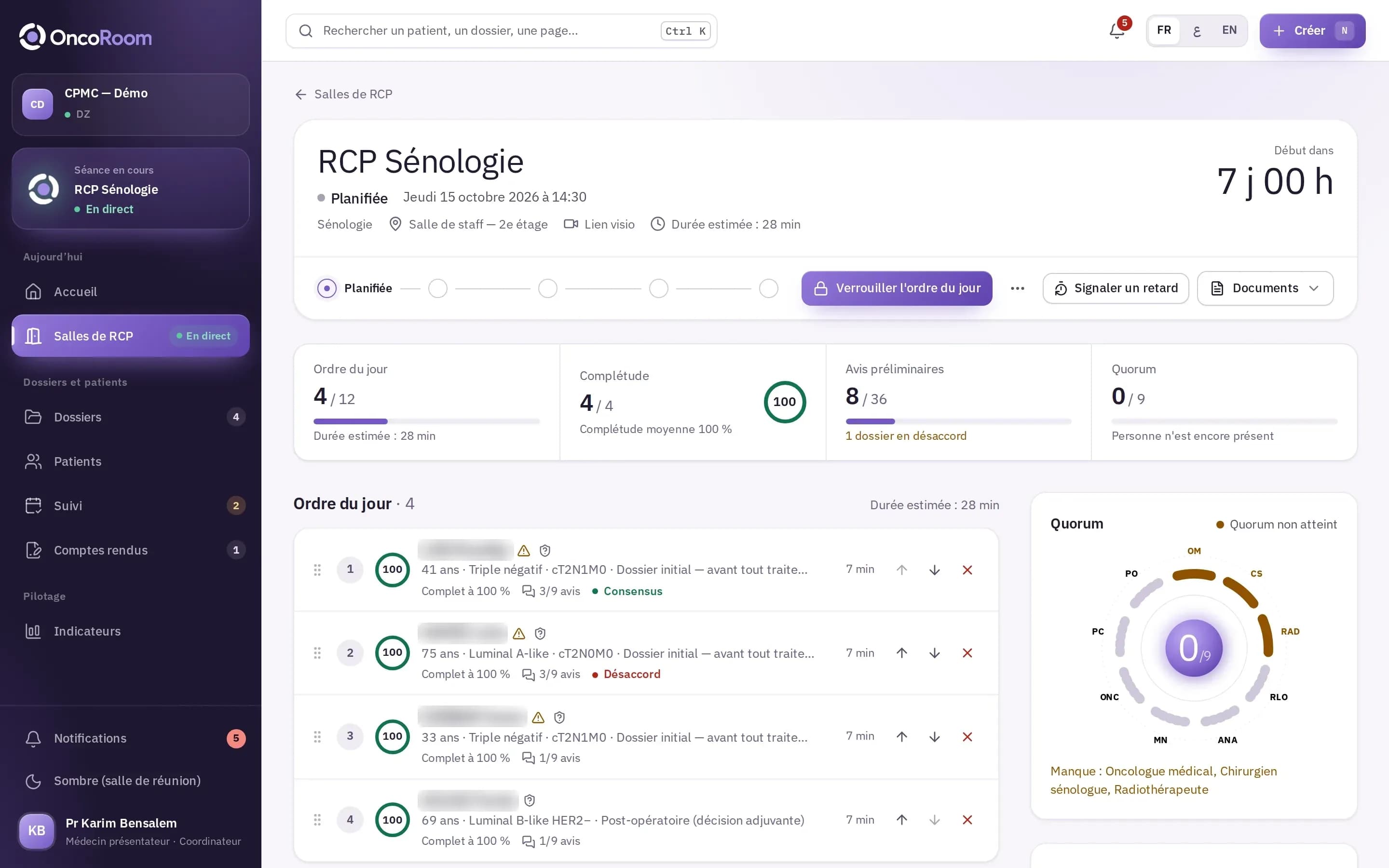
The coordinator builds the meeting’s agenda from the cases that are ready. Members read the cases and give their opinion before entering the room: disagreements are known in advance.

Page of a scheduled meeting: agenda of four cases, completeness, preliminary opinions, quorum round table.
  • The agendaThe coordinator orders the ready cases. The estimated duration of the meeting is calculated from an adjustable time per case.
  • Preliminary opinionsEach member gives their opinion before the meeting, without seeing the detail of the others’. The coordinator can place at the top the cases where opinions diverge.
  • The quorumThe required specialties come from the specialty pack. The round table shows who is expected and who is missing.
  • LockingWhen the agenda is locked, tumor board members are notified and can access the cases to read.

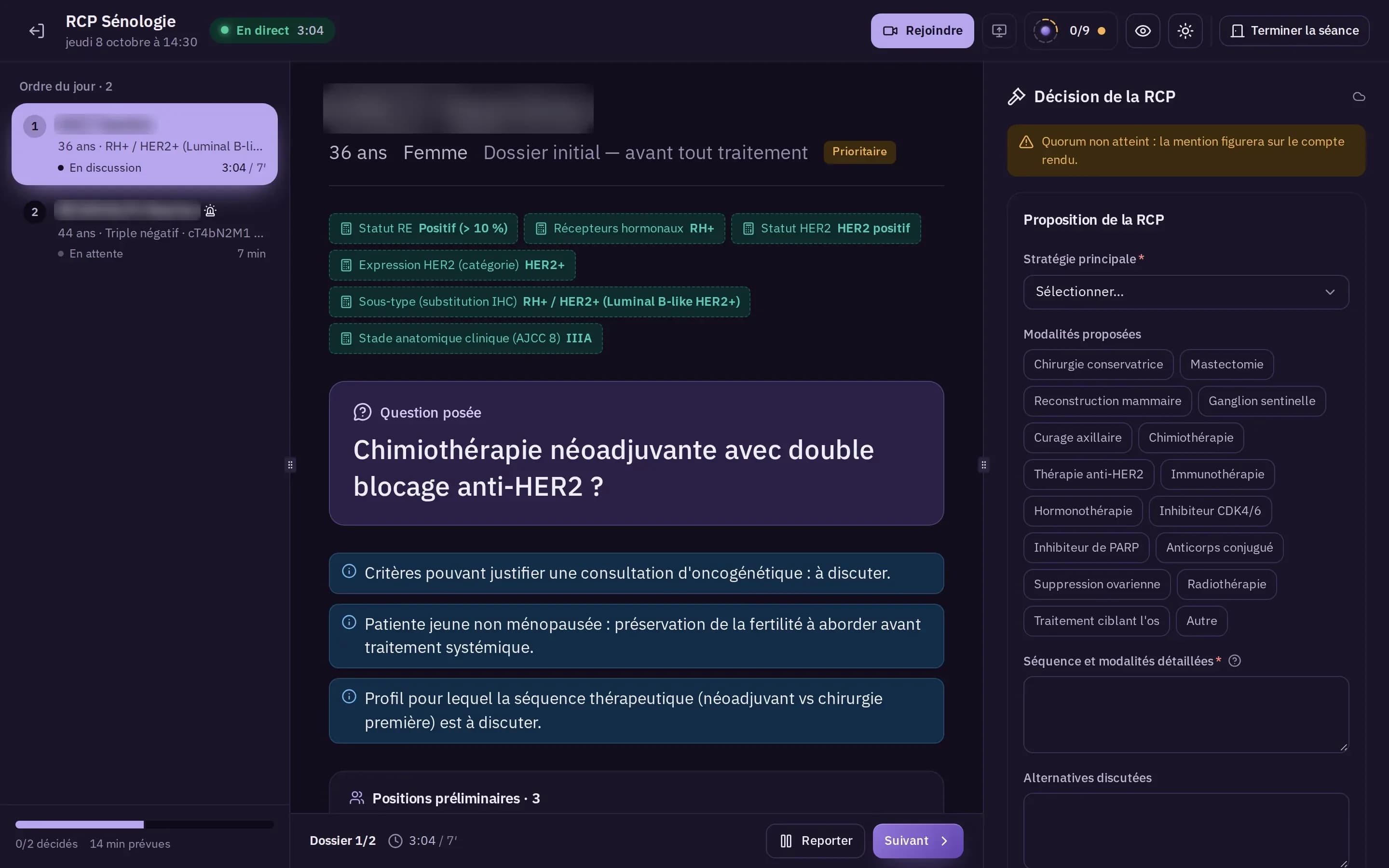
Decide: the meeting, on a single screen

The meeting screen is designed to be projected and driven by the coordinator. Its dark mode is intended for the meeting room.

Tumor board room in dark mode: agenda, case under discussion, tumor board decision.
  • Three zonesThe agenda with a timer per case, the current case, the decision panel.
  • The decision formDefined by the specialty pack: main strategy, proposed modalities, detailed sequence, alternatives discussed.
  • Consensus and dissenting opinionsThe level of consensus, dissenting opinions and any clinical trial proposal are recorded with the decision.
  • PostponingA postponed case returns to the ready cases, with the reason for postponement, for a future meeting.

Document: the report, then the follow-up

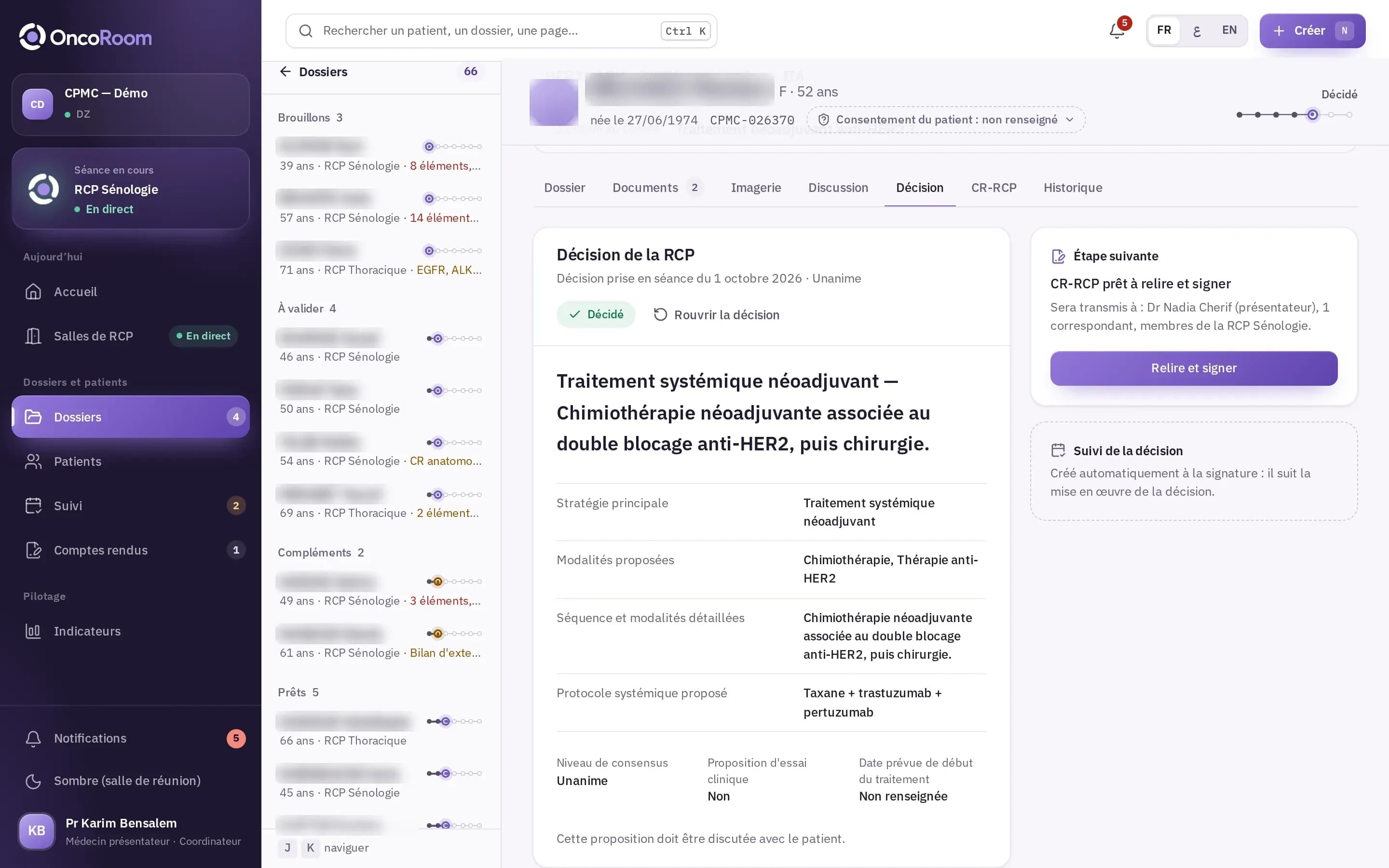
The validated decision generates a draft report, which is reviewed, signed and then distributed. The follow-up then shows whether the decision was applied.

Decision tab: tumor board decision, next step “Report ready to review and sign”, follow-up of the decision.
  • The draftThe draft report is generated from the case and the decision. The coordinator only edits the summary and the remarks.
  • The signatureThe coordinator signs after re-authentication. The signed report is frozen; a correction creates a new version, with its reason.
  • DistributionThe presenting physician, the referring physician and the tumor board members are notified. The email contains no medical data.
  • The follow-upWhen due, the presenting physician states whether the decision was applied, modified or not applied.

For the coordinator: fewer reminders.

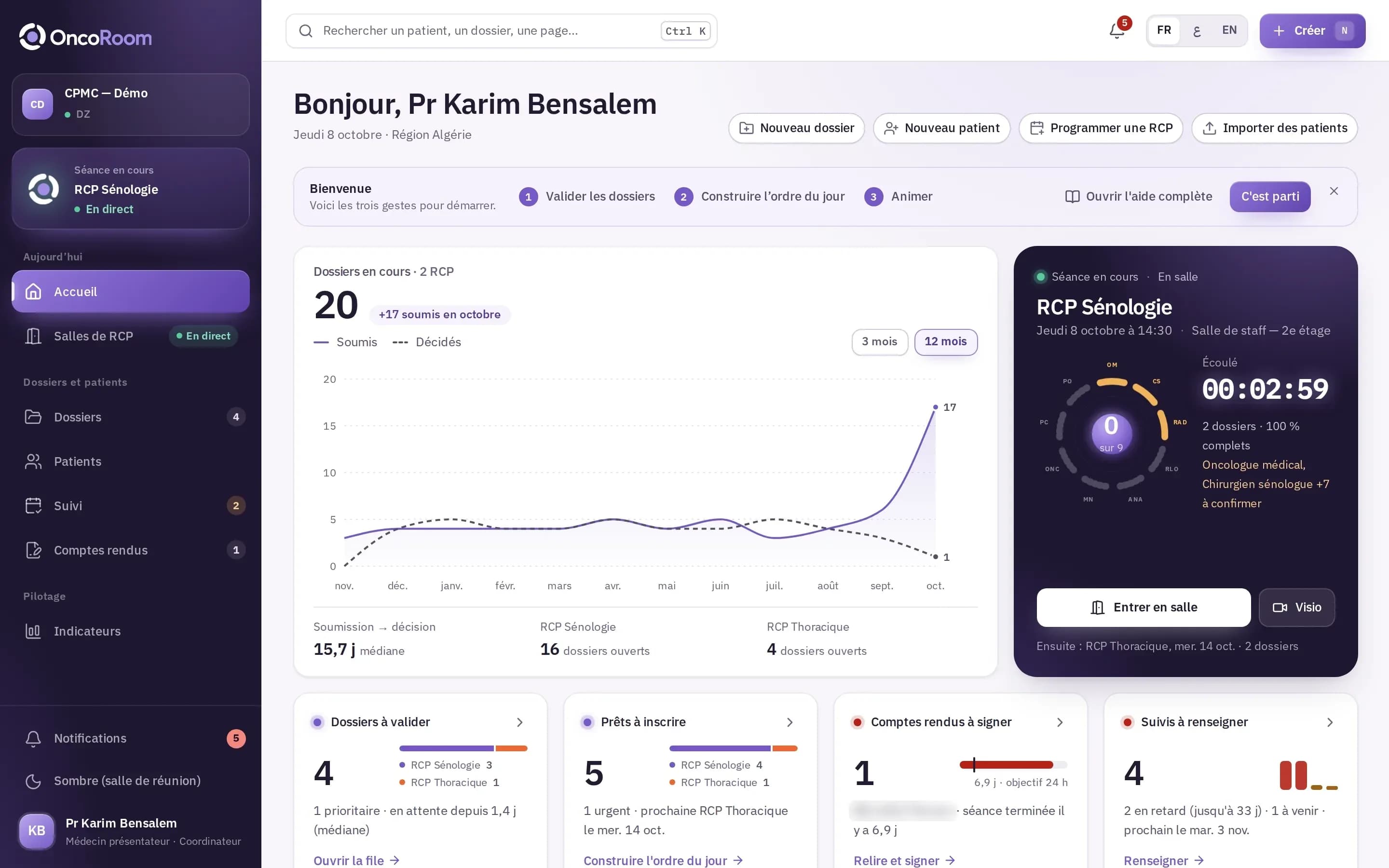
The home screen shows where the cases stand and what is waiting for the coordinator.

The coordinator’s home

The coordinator’s home: cases in progress, the current meeting with its round table, cases to validate, reports to sign, follow-ups to complete.

Four work queues

Cases to validate, cases ready to add to the agenda, reports to sign, follow-ups to complete: each queue leads to the next action.

The next meeting’s quorum

The round table shows the specialties expected and those whose attendance remains to be confirmed.

The request for information

The coordinator requests additional information from the case, with the list of missing items. The presenting physician completes the case, then submits it again.

A notification at every stage

Case submitted, information requested, agenda locked, meeting starting, report signed: the people concerned are notified.

The meeting’s documents

The meeting minutes, the attendance sheet and the tumor board reports are found in the same place.

Capture from the demonstration institution. Synthetic patients, names blurred.

See this journey in a demonstration.

A member of the Unimed team walks you through it in a demonstration institution, on synthetic patients.